

Looking for how to get an ISBN in the United States? Check out this post.
First, let’s get a little context on ISBNs.
What is an ISBN?
An ISBN, or International Standard Book Number, is a unique string of numbers used to identify a given book in any system around the world. Each ISBN used to have ten digits, but since 2007 they have used thirteen digits.
One ISBN per format and edition
Every format of a published book needs an individual ISBN. If a single publisher is selling the same edition of a book in multiple countries, the same ISBN is used in each country.
If, instead, the rights to publish a foreign edition are sold to a different publisher, they create their own edition for their territory and apply their own ISBN to it.
New editions of an existing book also need new ISBNs. If a publisher puts out a special anniversary edition of a book with some extra features, or an expanded edition with new content, or a book club edition with integrated discussion questions, each of those needs its own ISBN. Otherwise, buyers wouldn’t be able to guarantee they would get the new edition instead of the old one.
All ISBNs are created equal. Once a publisher has acquired one, they can assign it to an ebook, a print book, or any other format.
Do I need to acquire my own ISBN to self-publish a book?
If you’re self-publishing a book, you might acquire your ISBN through Amazon, Ingram Spark, or a self-publishing package offered by a vanity press. However, there are benefits to applying for your own (plus, in Canada, it’s free!).
The ISBN system was designed for publishers to obtain a block of ISBNs at the same time, all with the same publisher prefix (confusingly, this “prefix” is in the middle of the ISBN, but it comes before the digits that count upward for each ISBN you assign). That publisher prefix cannot then be assigned to another company. If one business acquires a block of ISBNs and sells them off individually, that initial business’ name is permanently associated with each one and cannot be replaced with the purchaser’s name. That’s why every book published with a free Amazon KDP ISBN appears under the imprint name “Independently Published.”
If you’re only selling a book through your own website, you don’t need an ISBN. However, you’ll almost always need one to sell a book through a retailer.
How to get an ISBN in Canada
Library and Archives Canada provides ISBNs free of charge to any Canadian publisher or self-publisher who registers for an account. In exchange, you must provide two “legal deposit” copies of your book to Library & Archives Canada for their national collection. The collection preserves published materials for future generations and makes them available for the public to consult.
Note: If you publish exclusively in French, go through Bibliothèque et archives national du Québec instead.
Getting started with Library & Archives Canada
Visit https://library-archives.canada.ca/eng/services/publishers/isbn/Pages/isbn.aspx
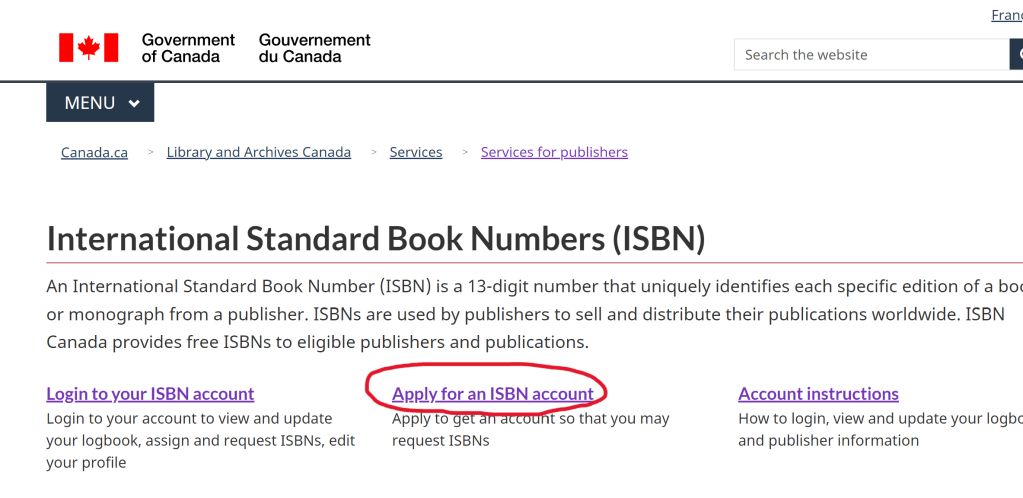
- Choose “Apply for an ISBN Account” and read the overview on the next screen. Choose “Create an ISBN Canada account.”
- Read the notice and choose “YES—I accept”.
- Now you’ll reach a screen titled “Create ISBN Canada Account.” This is the only time you’ll complete this information; after you have successfully created an account, you’ll use the same one for all subsequent books.
NOTE: It’s important for the Library & Archives Canada staff to keep track of publishers and ensure that the same individual isn’t creating multiple accounts. They compare new applications to existing accounts for duplication of contact information or for history of ISBNs assigned. If they detect a duplicate, they’ll reach out to you and help you
- re-access your old account if you’ve lost your login information, or
- change your publisher name (or add a second publisher name) if that’s your goal.
How to fill out your account information
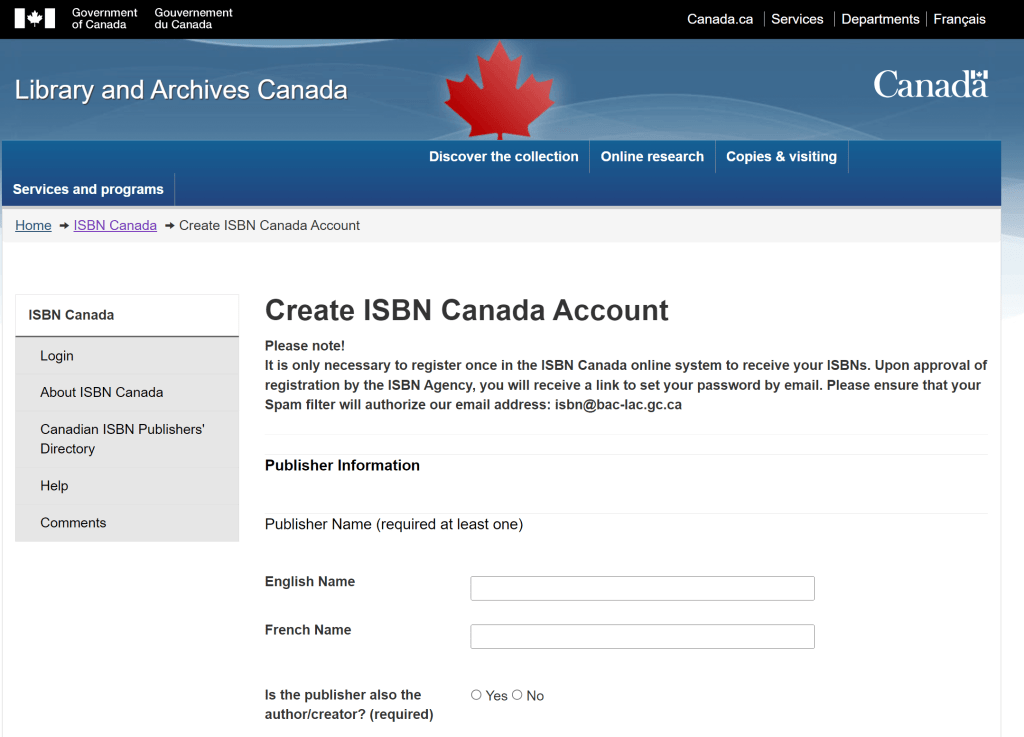
Publisher Name: You can provide this in English or in French, or in both languages. This is the name of the entity publishing your book. As a self-publisher, you may choose to make this your name, or you can choose a company name, e.g., Cool Books Press. Plan for this to be the publisher name you use on the copyright page of the book and in its listing with online retailers.
Is the publisher also the author/creator? If you are self-publishing your own work, select “Yes”.
Contact Name: Your name
Contact Job Title: If in doubt, you can enter “author” here.
Language Correspondence: Select English or French.
Mailing Address: Enter your accurate mailing address information.
Telephone: Enter an accurate telephone number.
Email: Enter the email address at which you want to receive information associated with your ISBN(s). Make a note of which one you use, because you’ll need to enter it if you lose access to your account.
Website: If you don’t have one, this isn’t essential.
Business Number: If you have a nine-digit business number issued by the Canada Revenue Agency (for example, if you’re a freelancer who collects sales tax from clients), enter it here.
Publisher Former Name and Other Name Used to Publish Under: This information helps Library & Archives Canada avoid duplicate accounts.
Contact Person Information (if applicable)
In some cases, professionals outside of a publishing company might acquire ISBNs on their behalf. This section gathers information for that scenario.
Publisher/ISBN Agency Activity
What was your last ISBN assigned? If you have never been assigned an ISBN before, leave this blank.
How many ISBNs do you estimate you will use in the next 3 years? This will help them know how long your publisher prefix should be. Larger companies are given shorter prefixes so that there’s more room for the title identifiers to count upward.
Publication Information
Fill this out for the book you’re getting ready to publish. If you don’t know the exact publication month, give your best estimate.
New Login Email
Once you’ve submitted your application, it may take up to ten business days for it to be reviewed. Once your account is approved, you’ll receive an email with your login information and instructions for assigning ISBNs. It will also remind you about your responsibility to provide legal deposit copies of your book.
Your Library and Archives Canada Profile
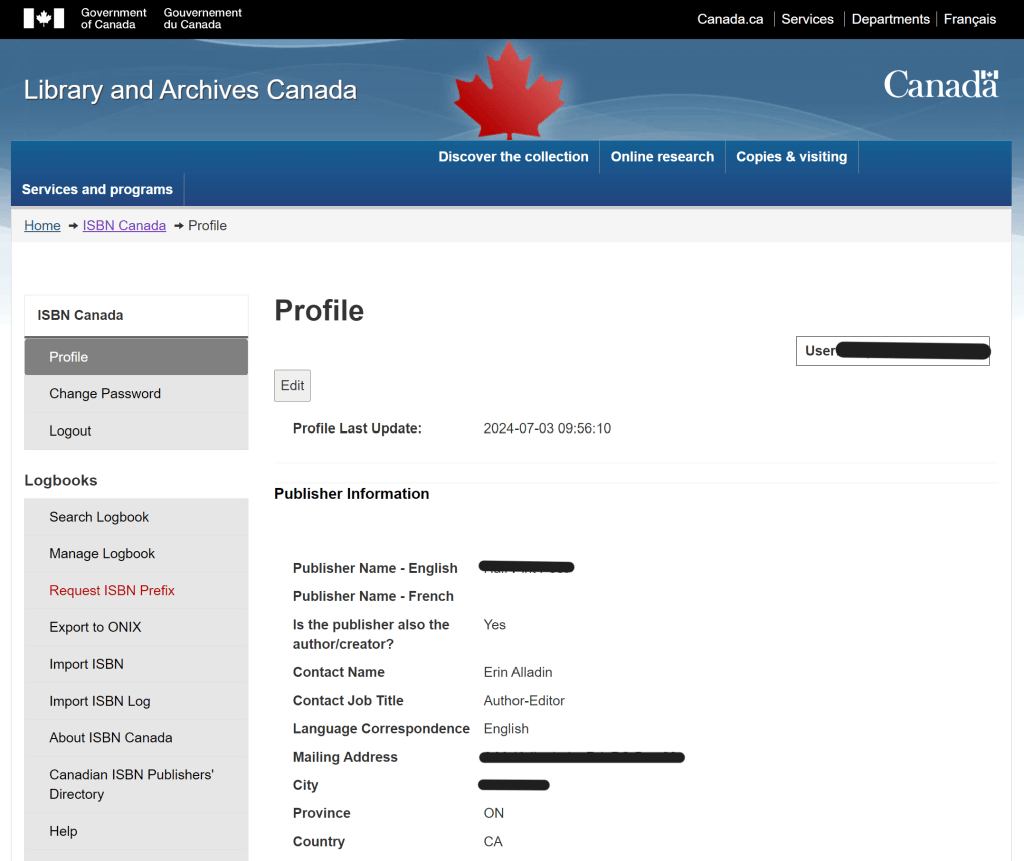
Your publisher profile page will include all the information you input into your application form. You can edit most of it yourself at need, but if you want to change your publisher name, you’ll have to reach out to the staff.
At the left you’ll find a list of actions you can take.
Assign an ISBN to a book/format/edition.
- In the menu on the left-hand side of your profile page, select “Manage Logbook.” Your logbook is a list of all the ISBNs you have so far assigned.
- Select “Assign New ISBN.”
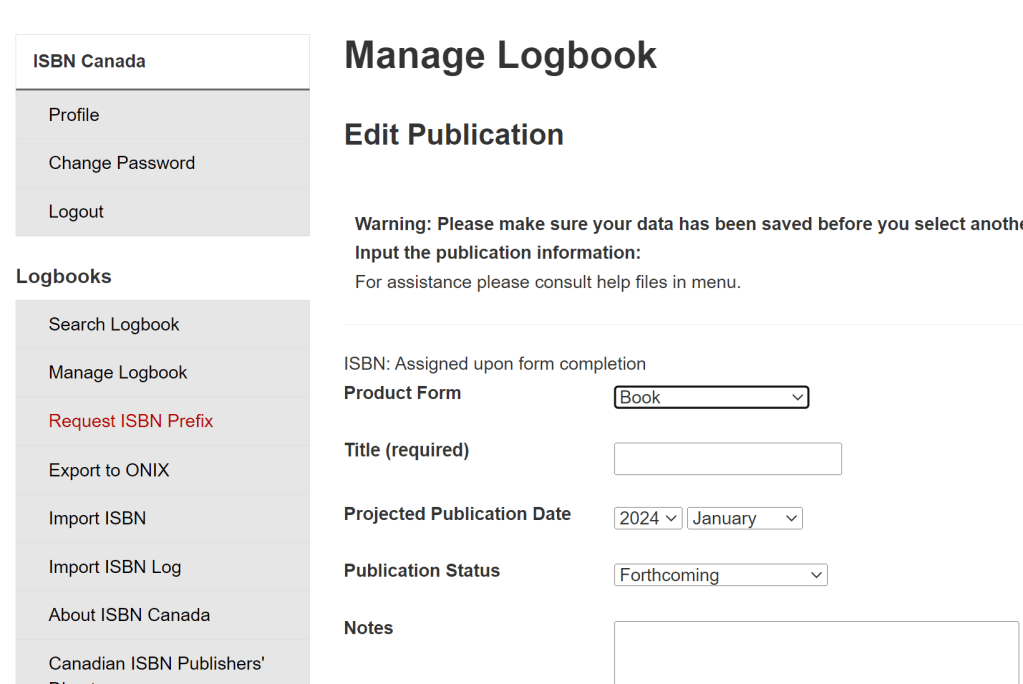
Product Form: Select from the drop-down menu. Be specific if you can (i.e., choose “paperback” or “hardcover book” in place of the generic “book”).
Title: Include the subtitle if relevant.
Projected Publication Date: If you don’t know your publication month, make your best estimate.
Publication Status: Leave this on “Forthcoming.” If you later find that a publication has to be cancelled or put out of print for any reason, come back into your logbook and change its status.
Note: If you’re dealing with many different formats of the same book, it can be helpful to add differentiating notes here for yourself.
- Click “Save.”
- In the menu, click “Manage Logbook” again.
- You’ll now be able to copy your new ISBN from the logbook.
Requesting an ISBN prefix
Once you’ve used up your whole block of ISBNs, you can select this option from the menu on the left-hand side of your profile page. Follow the prompts; you’ll receive a confirmation email momentarily and your new block of ISBNs with a new publisher prefix will be available right away.
Want More Publishing Insight?
Sign up for my free newsletter and receive behind-the-scenes intel about publishing tools, writing, self-editing and more in your inbox twice a month.


 Erin Alladin
Leave a reply to Michael Cancel reply